
How to improve parent communication in your school
Channels, timing and tone for school notices and for conversations about one child, plus the habits that cause most parent complaints.
AI in education
The school assistant is the AI parent and learner support agent in the family portal. It answers everyday questions from the facts the school wrote, drafts replies about a child's own records that a staff member checks and sends, and sends questions about safety, health and complaints to a person without the AI reading them.
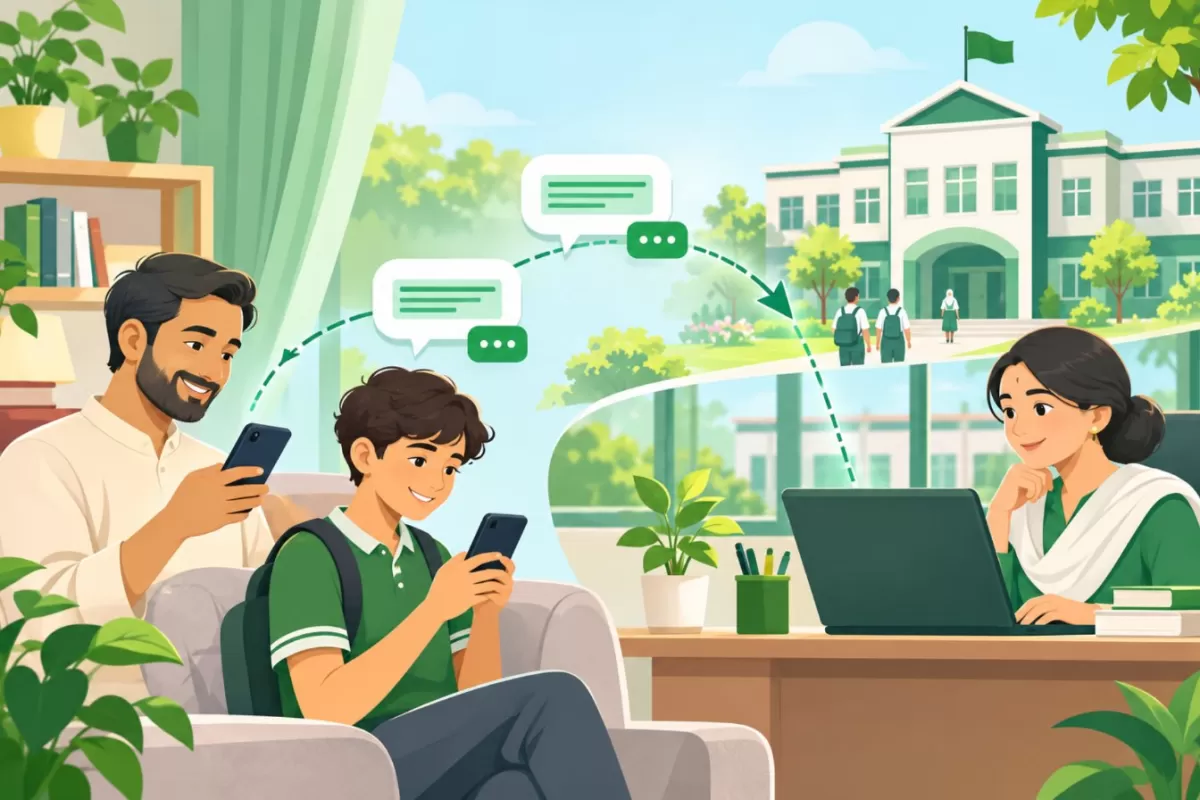
Families ask the school office the same questions every week: when the term ends, what time school starts on Fridays, how to pay fees, which homework is due tomorrow. When a school switches it on, parents and students can ask the school assistant in the family portal. It answers from what the school published, drafts replies about a child's own records for staff to send, and passes everything else to a person.
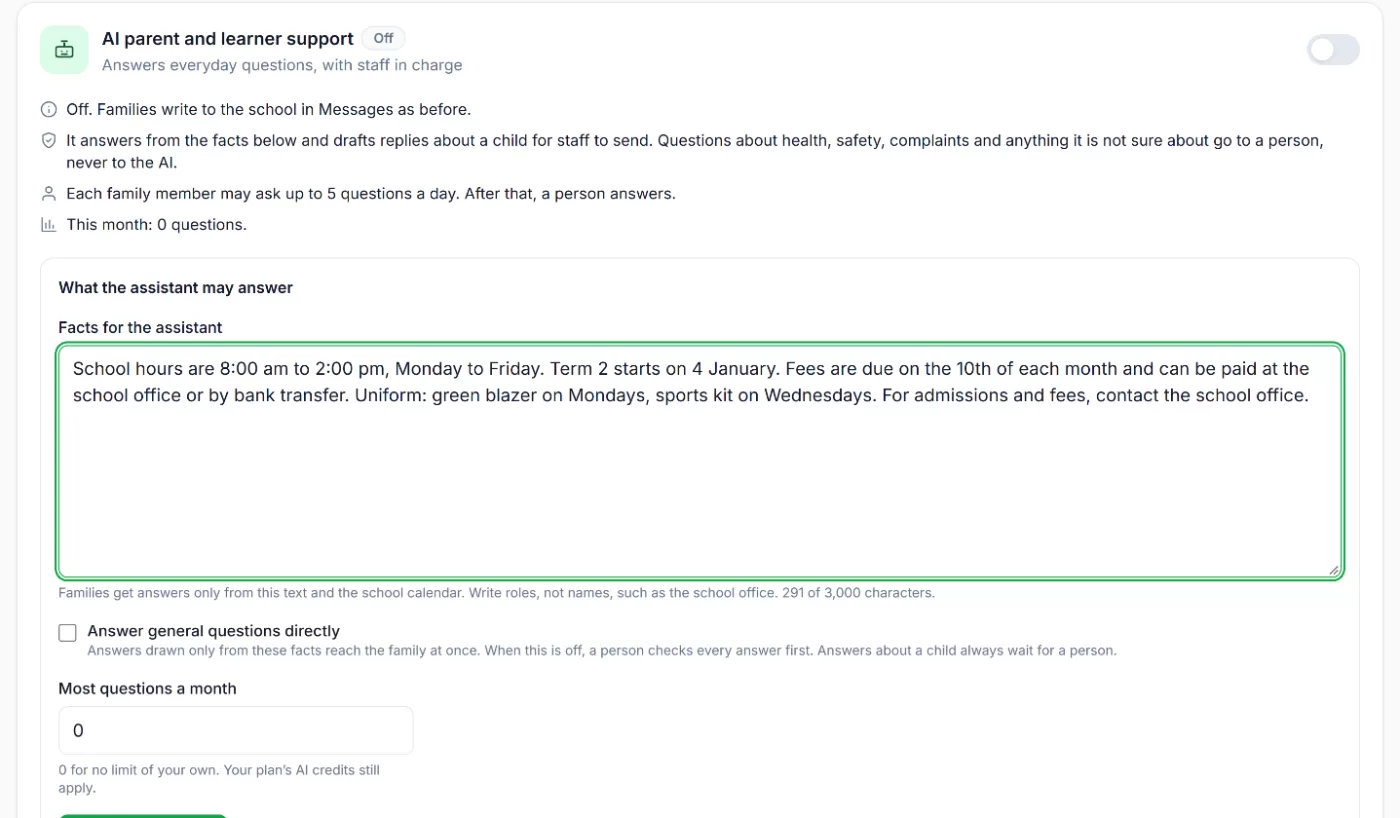
On AI agents, find the card for AI parent and learner support. It is off by default, and the owner and School Admins can switch it on. Under What the assistant may answer you set:
The assistant also knows the school hours from the timetable and the current school year with its terms and dates. There is no holiday or events calendar yet, so put holidays in the facts.
In the family portal, Ask the school assistant shows on the child's page and at the top of Messages while the assistant is on. A parent with several children picks the child the question is about. The page asks families not to write health details, ID numbers or addresses. Each family member can ask five questions a day, and after that a person answers. The family portal guide covers the rest of what families see.
Every question is saved first as the family member's own conversation with the school, so nothing a family types is lost. Other family members do not see it, and a student's question is seen by school staff only.
SkoolBro checks the question in code before the AI sees it. Words about safety, such as harm, abuse, bullying or "in danger", send it straight to the school's leaders, and the AI never reads it. A phone or ID number, an email address or the name of someone else at the school sends it to a person. So do health, complaints, behaviour, fee disputes, refunds and discounts, requests to change information, and absence notes for the teacher.
Other questions go to the AI. A general question gets an answer from the school's facts. When direct answers are on and every check passes, the family sees it at once, from "School assistant", with a note that it comes from what the school published. Otherwise the answer waits for a person as a suggested reply. A question about the child's attendance, homework, fees, results or exams gets a draft for staff, written from only those parts of that child's records. The family never sees that draft. They see "Thank you. Your question is with Ada's class teacher, and a person will reply in Messages."
A question that needs a person goes to the child's class teacher this year, if the teacher has a login. Otherwise it goes to the office: the people who hold "See and answer every question families ask the school assistant in your campuses", by default the owner, School Admins, Principals and Vice Principals. Safety questions always go to the office, never to the class teacher, and the office hears about them in the app and by email.
Staff find the questions under Questions from families at the top of Messages, each marked with what it needs, such as "Needs attention soon" or "Suggested reply ready". On a question you can select Send this reply, change the suggestion and select Send my changed reply, Discard it, or answer under Reply in your own words.
Sending a suggestion needs a recent password confirmation and the permission "Send replies the school assistant drafted for questions from families", which the owner, School Admins, Principals, Vice Principals, Class Teachers and Teachers have by default. The family sees the reply as yours, marked "Written with help from the school assistant".
A question that mentions safety, health, a complaint, an identity number or an email address never goes to the AI: it goes straight to school staff, and anything about safety goes to the school's leaders. Other questions go to Google's Gemini with names and the school's name replaced, together with the facts the school has published for families and, for a question about a child, only the parts of that child's records the answer needs, with the child's name replaced. Contact details, addresses, health notes and other children's data are never sent.
Answers are checked in code too. A direct answer with a number, link or address that is not in the school's facts becomes a suggestion for staff instead. The privacy policy has the details.
Greenfield Primary School is a fictional school with the assistant on and direct answers allowed. On Sunday evening Mr Ibrahim asks when the winter break starts, and the assistant answers at once from the dates in the facts. On Monday, Kofi, a Grade 6 student, asks which homework is due tomorrow. The AI drafts a reply from his homework list, and his class teacher, Ms Larsen, adds a line about the reading log and sends it. Later a parent writes that a child is being bullied on the bus. The AI never reads that message, which goes to the owner, the principal and the vice principal, marked "Needs attention soon".
A question that reaches the AI uses one AI credit, for up to two AI calls, and one place in your organization's daily AI limit, which staff share. Questions SkoolBro passes to a person first use none. When a limit is reached, the question goes to a person with the reason. The assistant is hidden while it is off, while your plan has no AI credits or this month's are used up, and once your own monthly limit is reached, and families then write in Messages as before. AI needs the Growth plan or above.
It drafts that reply for staff. A question about a child's records always waits for a person, usually the class teacher, who checks the suggested reply, changes it if needed and sends it. The family never sees the draft.
SkoolBro checks every question for words about safety first. Such a question never goes to the AI. It goes to the school's leaders, in the app and by email, marked as needing attention soon, and the family is told that a person will reply soon.
No. Each question becomes the asker's own conversation with the school, and other family members do not see it. A student's question is seen by school staff only.
Only the questions that reach the AI, one credit each. Questions SkoolBro passes to a person before the AI, such as health, complaints or anything with a phone number, use none.
The assistant is hidden until there are credits again, and families write to the school in Messages as before. A question that meets a daily limit goes to a person, so no question is lost.
Channels, timing and tone for school notices and for conversations about one child, plus the habits that cause most parent complaints.

Separate records for every organization, access that fits each job, encryption for the most sensitive details and a log of every change.

A plain explanation of the AI workforce idea: what the SkoolBro assistant and AI agents do today, and where people stay in charge.