
Digital school attendance and exams, from the morning register to report cards
A practical walk through daily registers, same-day absence follow-up, marks entry, locking, publishing results and printing report cards.
AI in education
On school days the AI attendance agent reads the day registers and finds students who are often away, away on the same weekday, slipping in attendance or often late. Class teachers hear about their own classes, heads get a weekly summary, and messages to families wait in Messages to approve.

A child who misses one day is easy to spot. A child who misses three Mondays in a row, or whose attendance slips over two weeks, often goes unnoticed until a parent meeting. The AI attendance agent reads your registers every school day, finds these patterns and tells the people who can act on them. Messages to families wait for a person to approve them.
SkoolBro finds the patterns in code from the day registers, never with the AI, and only unexcused absences count as absences. You can change each rule under Patterns to look for:
Excused days are not absences, but they lower the rate, which counts present and late as attending.
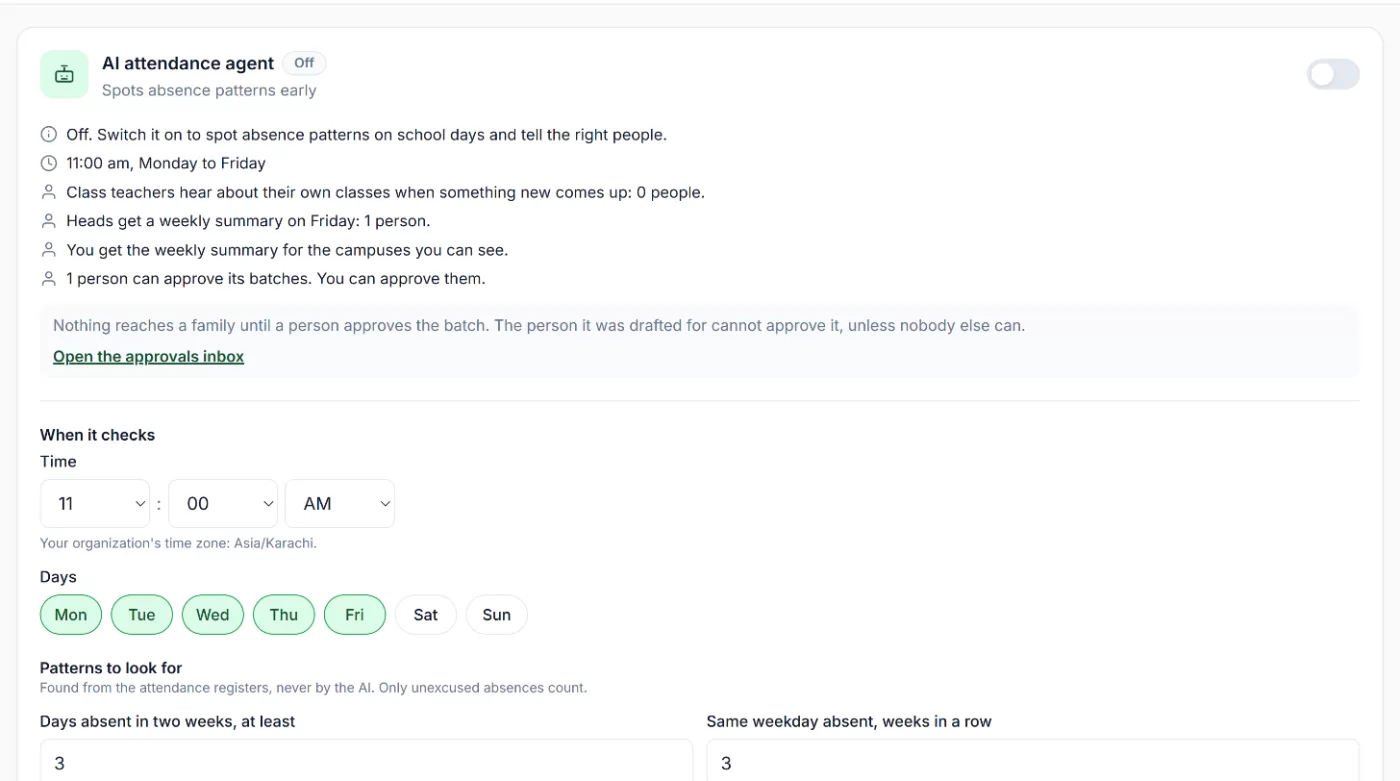
Open AI agents in the sidebar and find the AI attendance agent. The owner and School Admins can switch it on by default. It checks at 11:00 on Monday to Friday, when most registers are taken, and you can change the time and days. It acts for the person who switched it on and reads only the campuses that person can see.
Under Who hears from it there are three switches, all on by default: Notices to class teachers, A weekly summary for heads with its Day of the weekly summary, and Draft messages to families for approval. You can also limit the agent to some campuses and send notices by email as well.
The agent drafts one message for the families of students with an absence pattern: several days away, or away on the same weekday. Lateness and a falling rate stay with staff. A child's family gets at most one of these messages in 14 days.
The AI is asked for three to five kind sentences that say the school noticed and cares, and that the family can contact the school office. It must not guess the reason, blame anyone, or mention marks, rules or punishment, and it writes no numbers, dates or names of its own. SkoolBro fills in {student_name}, {days_absent} and {dates} from the registers at approval.
The batch waits in Messages to approve. By default the owner, School Admins and Principals can approve it, with the permission "Approve and send messages to families about absences". Class teachers cannot, because one batch covers every class. At approval SkoolBro checks every family again: children who are back at school since the draft, have left, or whose family was told in the last two weeks drop out, and so do families nobody can reach.
The automatic message "Absent from school", set in Automatic messages, goes to the family on the day a child is marked absent in the daily register, by email and in the app unless you switch those off. It does not use AI and does not wait for approval. The agent looks back over two weeks and drafts one message about a pattern, which a person approves.
Many schools keep both. If you want families to get only one, switch off the channels of "Absent from school", or untick Draft messages to families for approval. The Settings tab of the Attendance page links to both under "Other attendance rules". Its low attendance list has its own limit, separate from the agent's patterns. Our guide to automatic messages covers the daily notice.
The model gets the rules, class names such as "Grade 3 A", counts, rates and weekday names, with each student as a placeholder such as [Student 2]. It never gets a student's or guardian's name, an admission number, a date, an address, a phone number, or a campus or school name. SkoolBro puts the names back in the notices for staff. If the AI's note for a class names a student who is not in it, SkoolBro drops the note and the teacher still gets SkoolBro's own list of students and dates. The agents use Google's Gemini, as the privacy policy explains.
Pinecrest School is a fictional school with two campuses. On Tuesday, Mr Haddad, the class teacher of Grade 4 B, gets a notice that Lina was absent on the last three Mondays, with the dates, and he phones her mother that afternoon. The same morning a batch of messages to four families is waiting. Ms Novak, the principal, changes one sentence and approves it. On Friday she gets the weekly summary for both campuses.
The agent makes at most one AI call a school day, using one AI credit. When nothing new came up and it is not the summary day, the run is skipped and uses no credit. AI agents need the Growth plan or above.
No. SkoolBro finds the patterns in code from your attendance registers, with the rules you set. The AI only words the notices and the message to families.
Not as absences, since the school already knows why the child was away. They do lower the attendance rate, so staff may see a falling rate during a long illness, but that never leads to a message to the family.
No. One batch covers every class and is approved or rejected as a whole, so by default the owner, School Admins and Principals decide it. Class teachers see their own students in their notice.
They do different jobs. "Absent from school" in Automatic messages tells a family on the day a child is marked absent. The agent looks back over two weeks and drafts one gentle message about a pattern, which waits for approval.
At most one on a school day, and none on a day when nothing new came up and it is not the day of the weekly summary.
A practical walk through daily registers, same-day absence follow-up, marks entry, locking, publishing results and printing report cards.
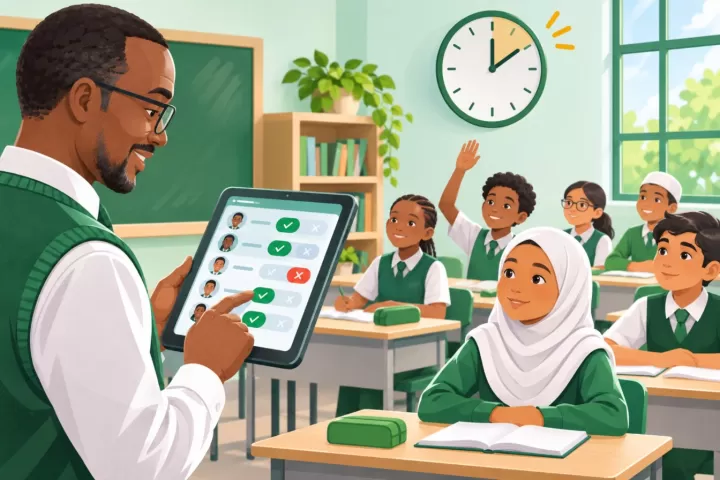
Take a register in every period from the class timetable, starting from the morning register. SkoolBro works out each student's attendance per subject, and families see it in the portal.

Once a week the AI fee collection agent picks the families with overdue fees and drafts one polite reminder. SkoolBro fills in each child's amount, invoices and due date, and nothing goes out until someone with permission checks the batch and approves it.