
How to simplify school fee collection: a guide for bursars and accounts offices
Fee heads and structures, vouchers and receipts, concessions that need a second approval, opening balances and a month-end routine for the person who runs school fees.
School management
Each school sets its own loan days, book limits and late fine. Librarians add titles with numbered copies, lend and take back books at the issue desk, and SkoolBro adds any fine to the student's fees and reminds families about overdue books.

A school library often runs on a register and a box of cards. The librarian knows who has which book, but nobody else does, fines are collected in coins or forgotten, and a parent hears about a lost book only at the end of the year. In SkoolBro the catalog, the loans and the fines are kept with the student records, so a fine reaches the family's fees and a reminder reaches the family.
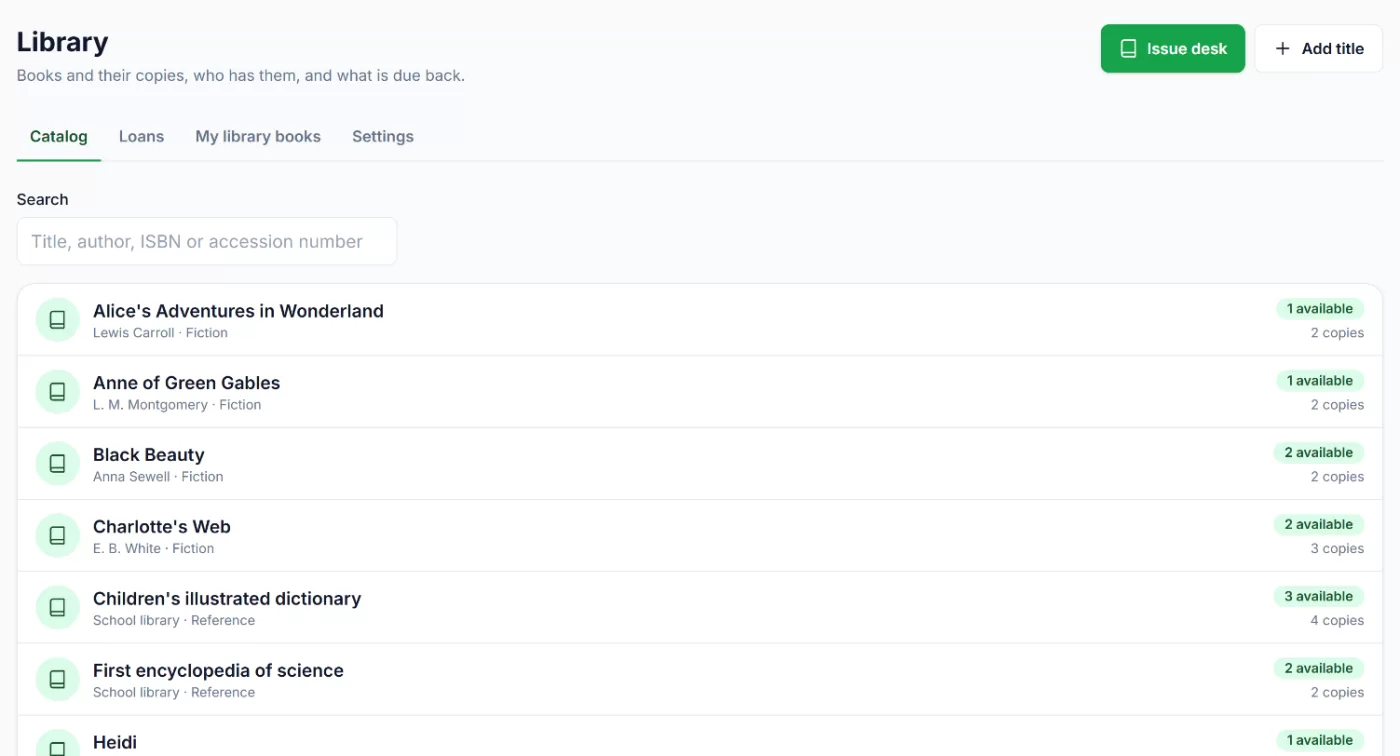
Library is in the menu under Operations. Every staff member can search the catalog and see whether a copy is in. The School Admin and Librarian roles add books, lend them and take them back, and only people who lend books see who has a copy. Waiving a fine needs its own permission, held by the School Admin and Principal roles by default.
Open Library and go to the Settings tab. Each school in an organization has its own settings:
The settings also show the accession number the next new copy will get.
On the Catalog tab, select Add title. Type the title, authors, category, ISBN, publisher and year, as much as you have. Under First copies, choose the campus where the copies are kept and how they are numbered: Use the next free numbers with a number of copies, or Type the numbers already written in your books. Add a shelf if you like, and a Price per copy, which is charged when a student loses a copy.
The title's page lists every copy with its campus, shelf and status. From there you can add copies, mark one as lost, withdraw a worn-out copy or put a found one back on the shelf. A title that has ever been lent stays in the records; withdraw its copies instead of deleting it.
The catalog search finds books by title, author, ISBN or accession number.
Select Issue desk on the Library page. It is made for a phone or a desk computer. Type or scan the accession number and select Find, then choose the student or staff member and select Lend. Leave the due date empty to use the usual loan days.
SkoolBro refuses a loan when the copy is not available, when the borrower already has an overdue book, or when they already have the most books allowed.
Renew adds the loan days to the due date, at most twice, and not once a book is overdue. To take a book back, find it at the desk or in the Loans tab and select Return. SkoolBro shows how many days late it is and the late fine. Someone allowed to waive fines can tick Waive the fine.
If a student lost the book, choose Lost. Leave the charge empty to charge the copy's price, or type another amount. Lowering what a student pays, by waiving a fine or charging less than the price, needs the waiving permission and a fresh password confirmation.
A fine above zero becomes an invoice on the student's fees, due in 7 days, with a line naming the book, for example "Library: The Secret Garden (returned 4 days late)". The family sees it with their other invoices, it is paid the same way, and Accounts records it as fee income. See fee collection for how invoices and payments work.
Northfield School, a fictional school, lends to students for 14 days with a fine of 0.50 a day in the school's currency, up to 10. Leila borrows a novel on 3 March, due on 17 March. She brings it back on 21 March. At the desk, Mrs Kowalski, the librarian, sees "It is 4 days late" and a late fine of 2.00. She selects Return, and an invoice for 2.00 appears on Leila's fees. Leila cannot borrow another book while one is overdue, so returning it also lets her take the next one.
Every morning, SkoolBro sends families a "Library book overdue" notice on the first day a student's book is late, then once a week while it stays out. It names the books and the due date. It goes by email and in the app by default. Under Automatic messages in Settings, the school can switch channels and change the wording; see automatic messages to families. SMS and WhatsApp go out only once a provider is connected.
On the Loans tab, the Overdue filter lists every late book, and Download overdue list (CSV) gives the same list for a spreadsheet. School heads can also get overdue books in the AI morning summary.
On the child's page in the family portal, the Library books card lists the books the child has out with their due dates, and reminds families that the school may charge a late fine. Staff see the books they borrowed under My library books.
There are no reservations or holds on books that are out, and families cannot renew from the portal. SkoolBro does not scan with a phone camera and does not print barcode or spine labels. There are no e-books. Staff do not get overdue reminders.
Yes. The fine is the number of calendar days after the due date times the fine per day, up to the cap if the school set one.
No. Staff can borrow books with their own loan days and limit, but they are not fined and are not charged for lost copies.
Yes, when the book comes back, by someone allowed to waive fines (the School Admin and Principal roles by default). SkoolBro asks them to confirm their password first. Nothing is then added to the student's fees.
Yes, at the issue desk. A scanner that types like a keyboard works when the barcode holds the copy's accession number. SkoolBro does not print barcode labels.
On the first day a book is late, then once a week while it stays out. It goes by email and in the app by default, and the school can change the channels and the wording.
Fee heads and structures, vouchers and receipts, concessions that need a second approval, opening balances and a month-end routine for the person who runs school fees.

Under Settings, Automatic messages you switch email, SMS, WhatsApp and in-app delivery on or off for each message, and change the wording with placeholders. The delivery log shows what went out to whom. Email and in-app messages go out today; SMS and WhatsApp wait for a connected provider.

The school invites a guardian or a student with Invite to the portal. A parent then sees one card per child, with tabs for the diary, online lessons, homework, quizzes, attendance, timetable, exams, results and fees, plus notifications and messages to the class teacher.